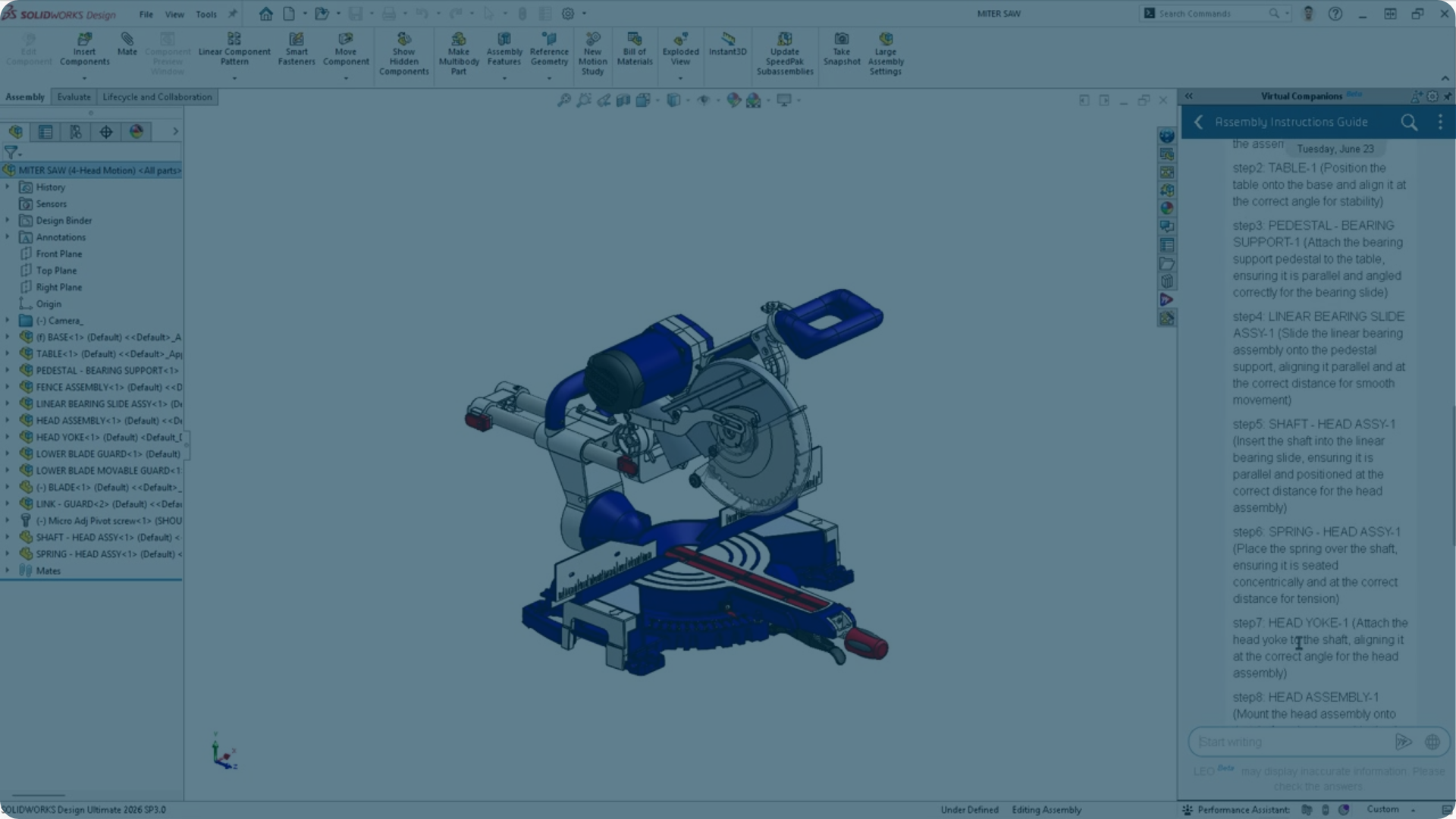
AI is everywhere right now, but for most engineers the question isn’t: “What can AI do?” It’s: “How could AI help me work more efficiently in SOLIDWORKS?” In this webinar, we explore practical examples of AI in everyday engineering workflows, be introduced to virtual companions, and understand how engineers are still in control of the design process.
What Does AI in SOLIDWORKS Actually Look Like?
For many engineers, AI still feels like something that’s coming in the future.
In reality, AI is already helping SOLIDWORKS users solve everyday challenges. From repairing sketches and restoring missing mate references to assisting with engineering tasks through virtual companions, AI is gradually becoming part of the design environment engineers use every day.
So where does AI deliver the most value today, and what should engineers realistically expect from it?
Three Key Takeaways from the Webinar
1. AI is already helping SOLIDWORKS users today
Many engineers associate AI with future technology, but several AI-powered capabilities already exist inside SOLIDWORKS. Throughout the session, you’ll see examples of how these tools help remove friction from common design tasks and keep projects moving forward.
2. The most valuable AI solves practical engineering problems
Engineering-focused AI is designed to support design decisions, workflows, and product development challenges where engineering context matters. The greatest value comes from solving real engineering tasks, not simply generating answers.
3. Engineers stay in control
AI can help identify opportunities, automate repetitive work, and provide guidance, but engineering expertise remains essential. The most successful use of AI combines automation with your own judgement.
From Built-In AI to Virtual Companions
AI in SOLIDWORKS is evolving.
On one side are the built-in AI capabilities that work directly within familiar SOLIDWORKS tools. On the other are virtual companions that enable a more conversational way of working, helping engineers find information, support decisions, and complete tasks more efficiently.
They solve different challenges, but together they provide a glimpse into how engineering workflows are changing.
But how do these capabilities actually work in practice, and where can they genuinely save time for engineers?
Watch the Full Webinar
Curious about where AI can make a difference in your design process?
Watch the recording to see practical demonstrations, real-world use cases, and the latest developments in AI for SOLIDWORKS users.
Want to Try the Virtual Companions Yourself?
The virtual companions demonstrated in this webinar require access to the 3DEXPERIENCE environment either through SOLIDWORKS Design or SOLIDWORKS Design with Cloud Services.
Cloud Services have been included with all new SOLIDWORKS licenses since July 2023. In many cases, getting access is simply a matter of activating the service and completing a few setup steps.
If you’re using SOLIDWORKS 2026 SP 3.2 or later and want to explore the AI capabilities shown in this webinar, our activation guide explains how to check your setup and get started.
Curious About AI for You?
Every engineering team has different workflows, challenges, and opportunities. If you’d like to discuss where AI could fit into your current engineering workflows, or which capabilities are most relevant for your team, we’d be happy to have a conversation.
FAQ
Where can I read more about data security?
3DEXPERIENCE Trust Center explains in details how owns the data and how Dassault Systemès focuses on security, privacy and quality.
Is it possible to train the models on company data?
Not currently, but SOLIDWORKS and Dassault Systèmes is exploring possibilities of how to manage this in the future, so it could be possible further along. For now it is possible to document company data and info in one or more 3DSwym Communities. This will allow AURA to retrieve that info upon request, so if you document your CAD practices, you would still be able to receive guidance. The key difference here being that AURA will not absorb that knowledge to learn from it, but it will be able to reference it.
How can I get the Virtual Companions?
Virtual Companions requires SOLIDWORKS 2026 SP3.2 or later installed, as well as an active cloud-enabled SOLIDWORKS license and access to a 3DEXPERIENCE tenant. Checkout the following landing page from SOLIDWORKS to get more specific guidance: Activate SOLIDWORKS AI Companions With Cloud Services | SOLIDWORKS
If you’re having trouble enabling the Virtual Companions tab, contact PLM Group for assistance with setup and/or licensing.
Can Virtual Companions access files stored in a PDM system?
Not directly. Virtual Companions cannot browse the PDM system itself, but they can work with files that are available on your local machine through SOLIDWORKS. So anything you open from your local vault view is accessible.
How is pricing handled for AI usage and Blue Tokens?
AI-powered Virtual Companions use a token-based consumption model. Each interaction resulting in some kind of “skill triggering” output consumes Blue Tokens, with usage depending on the complexity of the task being performed. New SOLIDWORKS licences receive an allocation of tokens to get started. If additional tokens are needed, they can be purchased in packs of 25,000 Blue Tokens. PLM Group can assist with licensing and token purchases. If you run out of tokens, simply contact PLM Group to discuss the best option for your usage needs.
Is the 3DEXPERIENCE platform mandatory to use Virtual Companions?
In order to access the Virtual Companions, an active 3DEXPERIENCE tenant is required, but users do not need to actively manage or save their data in 3DEXPERIENCE, to be able to utilize the Virtual Companions. New SOLIDWORKS licenses purchased in 2023 or later already include the required cloud services. Most Virtual Companions skills work on files locally accessible through SOLIDWORKS.
Can I teach Virtual Companions how to work with parts from my library so that they assemble a model according to the specific rules I use?
For now, the Virtual Companions do not train on your data. They are able to retrieve information through the RAG (Retrieval-Augmented Generation) framework, but they will not learn from it. Dassault Systèmes and SOLIDWORKS are looking into allowing individual companies Virtual Companions to train on company specific data.
Is it possible to use voice commands with the Virtual Companions instead of typing?
This capability is not currently available, but will be possible eventually.
Can SOLIDWORKS AI Virtual Companions identify physically identical components that have different part numbers or names?
This is not possible through the Virtual Companions today. However, 3DEXPERIENCE offers roles and tools that can compare components based on geometry, metadata, and similarity. You can discuss specific duplicate-detection requirements with PLM Group experts to identify the best solution.
How do I give the Virtual Companions access to specific CAD data?
In most cases, you simply open a part, assembly, or drawing in SOLIDWORKS and Leo can interact with that active model. Some workflows, such as BREP-to-parametric conversion, currently require the file to be saved to the 3DEXPERIENCE platform. Certain functions, like generating an assembly structure, can also be used without an existing model open.