Choose the Right SOLIDWORKS Setup
Choosing the right SOLIDWORKS setup? That's where it gets confusing. Understand your options, and choose the SOLIDWORKS setup that fits how you work.
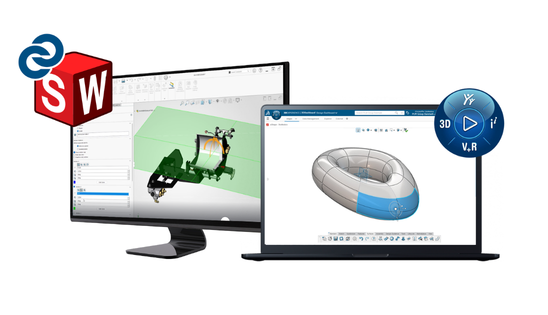
Two Decisions. One Clear Direction.
Choosing the right SOLIDWORKS setup comes down to two things:
Understand this, and get the setup that fits you.
This page helps you understand your options, so you can choose confidently.
Choose the SOLIDWORKS Design Package That Fits You
SOLIDWORKS Design comes in three packages: Standard, Professional, and Premium. Each package builds on the next. Start where you are and grow when you need more.
SOLIDWORKS Design Standard
Everything you need to get started with mechanical 3D design.
Best for: Individual designers or small teams getting started
- Create parts, assemblies, and production-ready drawings
- Work with sheet metal, weldments, and complex surfaces
- Build accurate designs fast using core engineering tools
Outcome: Focus on efficient design work without added complexity
SOLIDWORKS Design Professional
All the power of SOLIDWORKS Standard, plus tools to speed up your work and improve design quality.
Best for: Teams that want to work faster and collaborate more efficiently
- Manage design data and reuse existing components easily
- Create realistic visuals for reviews and presentations
- Work quicker with smart CAD Libraries of standard fixtures (Toolbox)
Outcome: Improve collaboration, reduce rework, and support faster decisions
MOST TEAMS START HERE
SOLIDWORKS Design Premium
The complete design and validation suite for advanced projects.
Best for: Engineering teams with complex products and validation
- Simulate motion, strength, and performance before production
- Design electrical, piping, and tubing systems directly in your models
- Work with scanned or reverse-engineered data
Outcome: Validate design early and reduce costly errors later in the process
All packages are available in both SOLIDWORKS setups below.
Need more insights? Contact us, and we can guide you to the right solution
See the Full Package Features
Compare full package features
Functions and features
| Functions and features | SOLIDWORKS Design Standard | SOLIDWORKS Design Professional | SOLIDWORKS Design Premium |
|---|---|---|---|
| SOLIDWORKS 3D CAD | ✓ | ✓ | ✓ |
| Part and Assembly Modeling | ✓ | ✓ | ✓ |
| 2D Drawings | ✓ | ✓ | ✓ |
| Design Reuse and Automation | ✓ | ✓ | ✓ |
| Collaborate and share CAD data | ✓ | ✓ | ✓ |
| Interference Check | ✓ | ✓ | ✓ |
| First Pass Analysis Tools | ✓ | ✓ | ✓ |
| CAM Programming | ✓ | ✓ | ✓ |
| Design for Manufacturing (DFM) | ✓ | ✓ | ✓ |
| Productivity Tools | ✓ | ✓ | ✓ |
| Advanced CAD File Import/Export and 3D Interconnect | ✓ | ✓ | ✓ |
| Xtended Reality (XR) Exporter | ✓ | ✓ | ✓ |
| CAD Libraries (SOLIDWORKS Toolbox) | – | ✓ | ✓ |
| Design for Cost (SOLIDWORKS Costing) | – | ✓ | ✓ |
| ECAD/MCAD Collaboration (CircuitWorks) | – | ✓ | ✓ |
| CAD Standards Checking (Design Checker) | – | ✓ | ✓ |
| Collaboration with eDrawings Professional | – | ✓ | ✓ |
| Automated Tolerance Stack-Up Analysis (TolAnalyst) | – | ✓ | ✓ |
| Advanced Photorealistic Rendering (SOLIDWORKS Visualize) | – | ✓ | ✓ |
| SOLIDWORKS File Management | – | ✓ | ✓ |
| Reverse Engineering (ScanTo3D) | – | ✓ | ✓ |
| Time-based Motion Analysis | – | – | ✓ |
| Linear Static Analysis for Parts and Assemblies | – | – | ✓ |
| Pipe and Tube Routing | – | – | ✓ |
| Electrical Cable and Wiring Harness Routing | – | – | ✓ |
| Advanced Surface Flattening | – | – | ✓ |
| Rectangular and Other Section Routing | – | – | ✓ |
Choose How You Want to Work with SOLIDWORKS
Once you know the level of functionality you need, the next step is how you want to manage your data and collaboration.
SOLIDWORKS Design with Cloud Services
A familiar desktop-based setup with added cloud capabilities
Best suited if you:
- Prefer working locally with full control over your files
- Already use PDM or internal data management systems
- Working with third-party add-ins
- Collaborating with partners in old versions of SOLIDWORKS
What you get:
- Proven SOLIDWORKS performance with local installation on one machine
SOLIDWORKS Design
SOLIDWORKS connected to the cloud via the 3DEXPERIENCE platform
Best suited if you:
- Get access to your data and your SOLIDWORKS CAD from anywhere in the world
- Work across teams, locations, or external partners
- Want built-in data management and version control
What you get:
- Centralized design, data, and collaboration
- Access to your work across locations
- Built-in tools for sharing, feedback, and tracking changes
- Proven cloud secure storage
You can choose the setup that fits how you work today, and evolve your way of working over time.
Still not sure what the right solution is for you? Our team is ready to guide you to the setup that matches your needs.
A Simple Way To Decide
1. Start with your package:
- Standard: Core design needs
- Professional: Productivity and collaboration
- Premium: Advanced tools, validation, and simulation
2. Then choose how you want to work:
- Prefer a familiar local setup: SOLIDWORKS Design with Cloud Service
- Access your SOLIDWORKS and from anywhere and any device: SOLIDWORKS Design
You can combine these to match your exact needs, and expand later without changing tools.
Hear Why Schur Automation Chose SOLIDWORKS
Get Help Choosing the Right SOLIDWORKS Setup
Not sure what fits your needs?
We’ll help you choose the right SOLIDWORKS setup and package, so you can get started with confidence and scale when needed.
Fill out the form and talk to our experts.