• Search
  • +46 370 69 0950
  • Webshop
  • Support
  • Trainings
  • EN
    • Svenska
    • Dansk
    • Norsk
    • Suomi
    • Latviešu
    • Eesti
PLM Group logoPLM Group logoContact
  • PLM
    PLM

    PLM aligns design and engineering in a connected workflow powered by the 3DEXPERIENCE platform.

    Learn more
    • ENTERPRISE PLM
    • DIGITAL MANUFACTURING
    • SUSTAINABLE MANUFACTURING
    • PRODUCT MANAGEMENT
    • BY SOLUTION
    • VARIANT MANAGEMENT
    • CROSS COMPANY COLLABORATION​
    • E-BOM MANAGEMENT​
    • ERP INTEGRATION
    • CHANGE MANAGEMENT
    • LIFE CYCLE MANAGEMENT
    BY SERVICES
    • VALUE ASSESSMENT
    • MIGRATION
    • SOLIDWORKS PLM
    DOWNLOAD OUR LATEST E-BOOK

    Towards a smarter industry

  • CAD
    CAD

    Could AI make your SOLIDWORKS workflow easier?

    Learn more
    • BY SOFTWARE
    • SOLIDWORKS CAD
    • SOLIDWORKS ELECTRICAL
    • CATIA
    • DRAFTSIGHT
    • SOLIDWORKS PDM
    • DRIVEWORKS
    • CLOUD SERVICES IN 3DEXPERIENCE
    • OTHER SOFTWARE
    • SPECIAL OFFERS
    • FOR START UPS
    • FOR EDU
    BY SERVICES
    • SERVICE PLANS
    • INNOVATION AGREEMENTS
    • 3DEXPERIENCE ONBOARDING
    • MIGRATION
    • USER TRAININGS
    • HOSTPLM - SOLIDWORKS PDM ON CLOUD
    Choose the Right SOLIDWORKS Setup

    Understand your options, and choose the SOLIDWORKS setup that fits how you work.

  • CAM
    CAM

    Buying CAM software is a big decision. In our no-nonsense Buyer's Guide we help you find the right software for your machine shop.

    DOWNLOAD GUIDE
    BY SOFTWARE
    • SolidCAM
    • SolidCAM for Education
    • Customer Story: Rasi Maskinfabrik
    • Customer Story: IJ Pipe
    • Modules
    • CAM Assist
    • iMachining
    BY SERVICES
    • SolidCAM Trial
    • Postprocessors
    • User Trainings
  • SIMULATION
    SIMULATION

    Simulations reveal how your product performs in the real world, so you can improve it with confidence.

    Learn more
    BY SOFTWARE
    • SIMULIA
    • 3DEXPERIENCE Simulation
    • SIMULIA Abaqus Structures
    • SIMULIA CST Electromagnetics
    • SIMULIA Simpack Multibody
    • SOLIDWORKS Simulation
    • SOLIDWORKS Simulation
    • SOLIDWORKS Flow Simulation
    • SOLIDWORKS Plastics
    BY SERVICES
    • SIMULATION STARTER
    • USER TRAINING
    • SERVICE PLANS
    • SIMULATION BUYER'S GUIDE
  • KNOWLEDGE
    KNOWLEDGE

    Get an overview of the trainings we can offer for you and your team.

    ALL TRAININGS
    RESOURCES FOR YOU
    CASES
    • RESOURCES FOR YOU
    • ARTICLES
    • E-BOOKS
    • EVENTS AND WEBINARS
    • ALL RECORDINGS
    • SUBSCRIBE
    • ENGINEERING NEWSLETTER
    • SIMULATION NEWSLETTER
    • 3D PRINTING NEWSLETTER
    • CASES
    • Estanc | SOLIDWORKS PDM
    • Sea Technology | 3DEXPERIENCE CATIA
    • SwePart Transmission | 3DEXPERIENCE
    • The Loop Factory | SOLIDWORKS
    • SANOVO Technology | SOLIDWORKS
    • Pinomatic | SOLIDWORKS PDM
    • Schur Automation | SOLIDWORKS PDM
    • UP Catalyst | SOLIDWORKS Simulation
    • Satateräs | HostPLM
    • ALL CASES
    Upcoming events
    Events and webinars
    DOWNLOAD OUR LATEST E-BOOK

    Towards a smarter industry

  • CONTACT US
    CONTACT US

    HELP & SUPPORT

    Help center
    Frequently asked questions
    OPENING HOURS
    09:00-18:00
    CONTACT
    +46 370 690950
    FOR REMOTE HELP
    Teamviewer
    ONLINE SUPPORT
    FIND YOUR NEAREST OFFICE
    PLM GROUP
    • About us
    • Meet us
    • Careers
  • Search
  • +46 370 69 0950
  • Webshop
  • Support
  • Trainings
  • EN
    • Svenska
    • Dansk
    • Norsk
    • Suomi
    • Latviešu
    • Eesti

Get control of your design before making the first prototype

Michael Thomson

Engineering Process Consultant

What happens when you overstrain your design? Does it bend, break or shatter? And how can you test for overstrain and avoid it?

When it comes to designing sustainable products, durability is crucial. It’s good to have control over your product design and it’s even nicer to have control over what happens if it breaks.

In the event of overstraining, you can ensure that the valuable components of your construction remain intact while the cheaper components take the damage. The result? You can replace the spare parts at a low cost – a win-win for the end user, your product and you.


If your product doesn’t work in the real world, it’s a failure.
➔ Tackle complex engineering challenges with SOLIDWORKS Simulation


Product knowledgement gives better control

We can show and create a better understanding on how much overstrain our product can endure by virtually testing our SOLIDWORKS geometry.

When I talk about having control over a design, the keyword is product knowledgement. The sooner you can get knowledge about materials, strengths, weaknesses and so on in your design, the sooner you can get control of your product and the expectations surrounding it.

With SOLIDWORKS Simulation you can test your construction for strain and overstrain, and get answers to questions like where is the product failing, where are the weakest areas, and what is the consequence of overstrain?

35% of engineers don’t test their designs

Mattias Robertsson, Senior Territory Technical Manager from SOLIDWORKS, held a webinar on simulation. He launched a quick poll asking how the attending engineers controlled the “Factor of Safety” in their designs. He specifically asked how they account for overstrain.


A safety factor (FoS) expresses how much stronger a system is than it needs to be for an intended load. Many systems are intentionally built much stronger than needed for normal usage to allow for emergency situations, unexpected loads, misuse or degradation. (Source: Wikipedia)


Many attendees used at least one testing method, but 35% didn’t test “Factor of Safety” in their designs at all.

When an unsustainable design goes all the way to the prototype stage or even into production, it can be very costly.

I don’t know if you are as surprised by this as me, but best-case scenario is that they are experienced when it comes to their product designs and that they therefore (hopefully) are sustainable.

Is there more to it than sustainability?

What if you could save your company loads of money by reducing the amount of material and still make a product that is sustainable?

There are two ways to work with strain:

  1. Resist the strain – you strengthen the weak spots, in order for all components or areas of the design to handle the strain.
  2. Built in weaknesses – you decide which components or areas within components need to brake when overstrained.

Let’s look at a couple of examples from the real world.

Resist the strain

To ensure that a seesaw on a playground never brakes, KOMPAN often designs it in such a manner that it can resist the strain from loads of children jumping around on it. In fact, in some cases it will even endure the strain of a bunch of playful adults – just in case.

This means, that calculations concerning the seesaw’s durability is made with a very high “Factor of Safety”, for the seesaw to always resist the strain.

KOMPAN is a Danish company specialized in playground solutions.

They use high quality materials to fulfil the highest quality standards and have a complete control over durability and safety.

Every year, 150 million people across the world play or train on one of KOMPAN’s playgrounds or training sites. Therefore, it is critical for KOMPAN to adhere to the absolute highest safety requirements for playgrounds.

“We never compromise with safety, and our choice of materials is of the highest quality when creating extremely durable and long-lasting solutions for all kinds of weather”. – KOPMAN

The mantra of KOMPAN’s design department is all about “Factor of Safety” and calculating strains in order to ensure highly durable and safe solutions.

Built in weaknesses

The principle behind this method is that instead of spending loads of money exchanging expensive components, you build in a weakness elsewhere in the construction in order to save money.

A good example of this is the propeller on an outboard motor. Here the design has a built-in pin that breaks before anything else breaks within the construction.

The pin is a good solution, because if it wasn’t built to break, it would mean that the entire boat would turn over in case the propeller hit something in the water – a much bigger worry and costly incident.

The same principle is also used when building aircraft engines. The engine is secured in four different places that all breaks and lets the engine go before the wing is torn off. This means that the aircraft can fly on safely, even after losing one engine. So, don’t worry if one engine fails while you’re flying; the design has accounted for it.

A toolbox that provides answers

SOLIDWORKS Simulation allows you to test a variety of aspects of your design before creating the first prototype. Aspects such as:

  • Stress
  • Low stress areas
  • Deformation
  • Factor of Safety
  • Lifetime (fatigue)
  • Natural frequency

In other words, the toolbox in SOLIDWORKS Simulation gives you a much better and deeper insight of your design – and insights lead to better decisions!

Beyond the useful toolbox you also get control of important factors early in the design process. Factors such as:

  • Dimensions and size
  • Meeting requirement specifications
  • Ideas and concepts
  • Design decisions
  • Design improvements
  • Quality improvements
  • Cost improvements

A buyer’s guide to SOLIDWORKS Simulation

Get your guide
Posted in Simulation
Tagged KOMPAN, Simulation, SOLIDWORKS Simulation

Related posts

Related Posts

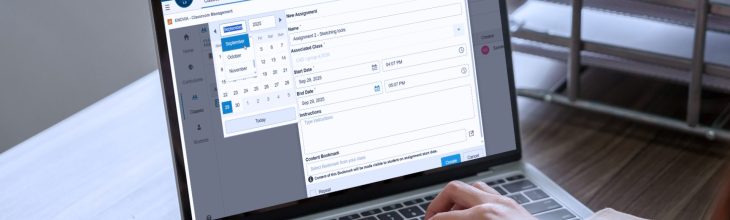
Creating CAD Assignments with the Teacher Experience Role

Learn how to create CAD assignments with the Teacher Experience role in the 3DEXPERIENCE platform. Discover how to control content visibility, set assignment details, and link curriculum materials so students have the resources they need to complete their work successfully.

Read More

Great start for our 3D Printing Events

In October and November, we premiered our new 3D Printing Events in the Nordics to show the latest in 3D printing together with our partners and customers. The turn-out surpassed our expectations and ...

Read More

How to Capture and Share Ideas on the 3DEXPERIENCE Platform

In any CAD project, great ideas are bound to come up, and sharing them with your team is crucial. But how can you do that effectively? The 3DEXPERIENCE platform offers a tool designed specifically to ...

Read More
PLM Group EU
OPENING HOURS
09:00-18:00
CONTACT
+46 370 690950
FOR REMOTE HELP
Teamviewer

PLM Group Sverige AB

Axel Danielssons Väg 267, 215 82 Malmö, Sweden

info@plmgroup.eu

+46 370 69 0950

Design

  • SOLIDWORKS
  • CATIA
  • DriveWorks
  • 3DEXPERIENCE

Simulation

  • SIMULIA
  • SOLIDWORKS

Manufacturing

  • SolidCAM
  • SOLIDWORKS MBD
  • SOLIDWORKS Inspection
  • 3D Printing

PLM

  • 3D EXPERIENCE Solutions
  • CLOUD PLM
  • Data Management

Learn and Support

  • Professional Service Agreements
  • Training
  • 3D EXPERIENCE

Resources

  • Latest articles
  • Explore our Resources
  • Cases

Design

  • SOLIDWORKS
  • CATIA
  • DriveWorks
  • 3DEXPERIENCE

Simulation

  • SIMULIA
  • SOLIDWORKS

Manufacturing

  • SolidCAM
  • SOLIDWORKS MBD
  • SOLIDWORKS Inspection
  • 3D Printing

PLM

  • 3D EXPERIENCE Solutions
  • CLOUD PLM
  • Data Management

Learn and Support

  • Professional Service Agreements
  • Training
  • 3D EXPERIENCE

Resources

  • Latest articles
  • Explore our Resources
  • Cases

Follow us for more

Long-term engineering success rarely happens alone Long-term engineering success rarely happens alone. 

At Schur Automation, building advanced packaging systems means constantly refining how their engineers work from tools to workflows.

Good engineering tools matter. But good conversations matter just as much.

That’s why they’ve worked closely with us since 2004.

“The team at PLM Group listen to us. They help with both big and small things. And when challenges come up, we know we have a partner to turn to,” says Dorte Jensen, Technical Assistant at Schur Automation.

#SOLIDWORKS #PLMGroup #TrustedPartner #EngineeringSupport #LongTermSuccess #CustomerStory
A Nonlinear Analysis with Abaqus/Explicit 🍝🍷 Trad A Nonlinear Analysis with Abaqus/Explicit 🍝🍷

Traditionally, SIMULIA Abaqus has been used to simulate fast dynamic phenomena. Typical applications are car crashes, drop tests, and explosion loads.

In this video, we performed a very nonlinear analysis with large displacements, numerous contacts, and impact loads with the Abaqus/Explicit Solver that's available in every Abaqus license. 

A few notes about the analysis:
♣️ The cards are modelled using elastic shell elements
♣️ The surface of the table and the ball are rigid bodies
♣️ Applied loads are gravity and the initial velocity of the ball
♣️ Contacts between parts are modeled using the General Contact Functionality
♣️ The coefficient of friction is 0.3

Additionally, the Explicit Solver is effective in studying slower quasi-static nonlinear events. Complicated contact interactions require a lot of experience and tricks from the user to get the solution to converge when using the traditional Abaqus/Implicit solver. In cases like this, the Explicit solver can be the right choice as it is easier to use and faster.

If you ever encounter problematic contact cases, this is worth a try and we will gladly guide you forward 🙏🏼

#Simulation #Engineering #Abaqus #ProductDevelopment #FEA #SIMULIA #DassaultSystemes
Have you ever wondered what is the best way to des Have you ever wondered what is the best way to design your CAD models so they don't break the second you make a change? 😅🫥

Design intent is an important foundational principle to keep in mind. Follow along over the next weeks as Lennart walks you through 6 things to keep in mind as you bring your ideas to life in SOLIDWORKS.

#CADviceoftheweek #designintent #3DCAD #engineeringstudent
Showing off your CAD skills 🤝winning cool prizes. Showing off your CAD skills 🤝winning cool prizes.
It’s an easy choice. 😎 If you’re a student using SOLIDWORKS, now’s your time to shine. Find more details and how to enter on out website. #CADstudent #engineeringstudent #SOLIDWORKS
  • Privacy and terms
  • General Terms and Conditions